Had the advantage of standing next to French bloke in queue yesterday.
He spoke Chinese fluently. This was lucky as the girl was refusing to understand my requests.
As I gave the information each bit was thouroughly scrutinised and highlighted for wrongness, which was duly corrected.
This is a moment when French piquant was used to good effect.
We have a little two or three day holiday at the end of this week.
I may take this time to have a look around Nanjing which is a short distance away.
Mo0oncake Investigation
I’ve been planning to sample this Chinese dish.
During the mid autumn festivals, Chinese are overcome by thoughts of mooncake!
Both giving and receiving, it is very important part of the Chinese culture and celebration.
Mooncake!
The mooncake comes in all different boxes. There are many fillings, which traditionally, are wrapped in a pastry baked in an oven. With elaborate designs on the top, the cake is of a heavy, doughy consistency.
Pretty filing, the cake should be enjoyed all over the mid-autumn festival.
The box shown, was dedicated by one of the children’s parents at kindergarten.
Inside the Box!
Gasping at the Mooncake!
Such an exiting thing! Have been looking at these stands in the supermarket!
They’ve been here for the past 3 months or so…
The favor of the mooncake knows no bounds here! Fer sure….
Google Play China: Making US Google play into Chinese Google Play
This guide will instruct you on how to access Google play store in China, or any locale in the world!
It works for all phone types.
It works for all models and carriers.
It will show and make available all the apps and content as available in Google Play Store, US.
Requirements
Phone, USB cable, Internet connection, VPN access (I use HMA), Supporting files.
** Your phone MUST be rooted and running ClockWorkMod OR be able to INSTALL FROM ZIP**. You’ll need to access configurations and allow programs superuser privileges in the /system folder.
**Firstly, we need to access the Google Play Store – supported devices page and locate your device. If your device is supported, move on to step 4. If not, (and you’ll find many of the devices sold in China aren’t supported by Google), choose a device from the device list that is the closest approximation to your model.
Install File Commander (included in supporting files). With File Commander, access the /system/build.prop, it will look like this…
Change the product code for your phone so it works in Google Play Store
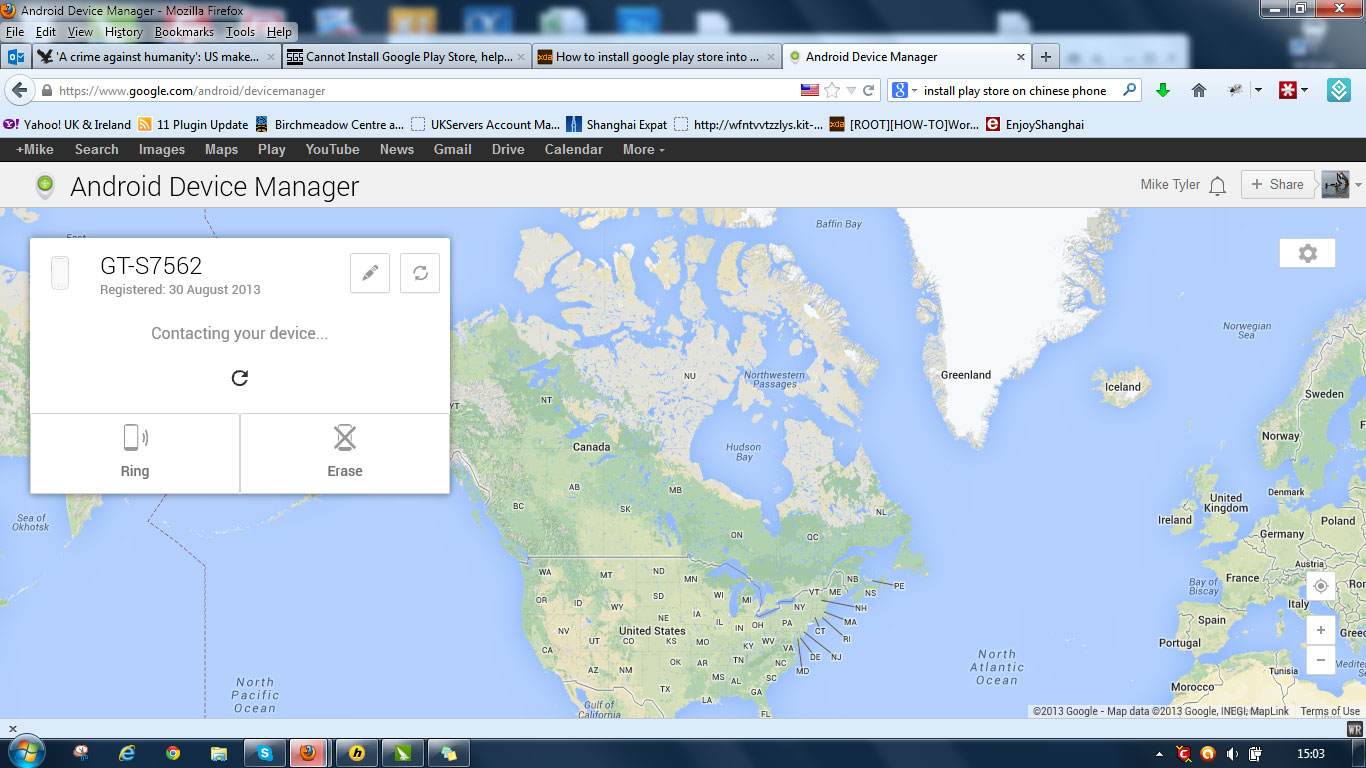
Scroll down to the ro.product.model = GT-S7566 change it to the model compatible with Google Play Store.
in my case ro.product.model = GT-S7562. Save the file. A number of screens will come up asking if you wish to change the write permissions of the new file. Accept them.
Restart your Phone.
It will tell you Android is loading updated software and gave you a short waiting screen.
Wait.
Next you need to transfer the GAPPS file to your phone’s SD card.
Install the GAPPS file: restart the phone in Recovery mode by pressing UP+DOWN+HOME+POWER simultaneously. Navigate to the GAPPS zip. Install the zip.
Reboot
You will now need to fire up your mobile VPN software to access Google Play from your mobile phone in China. As it is now blocked.
Your phone will now work with Google Play Store and all free apps.
Access Play Store apps in any location Worldwide
This little cheat will allow you to ‘pretend’ you’re a U.S. resident.
Google go to great lengths to make their products available under the correct jurisdictions. If you want your phone to ALWAYS have the maximum apps and content, things will be changing regularly to make sure this stays the case. Search on the ‘net or should subscribe (to my blog), to keep abreast of changes.
Install the Market Enabler apk included in the Supported Files.
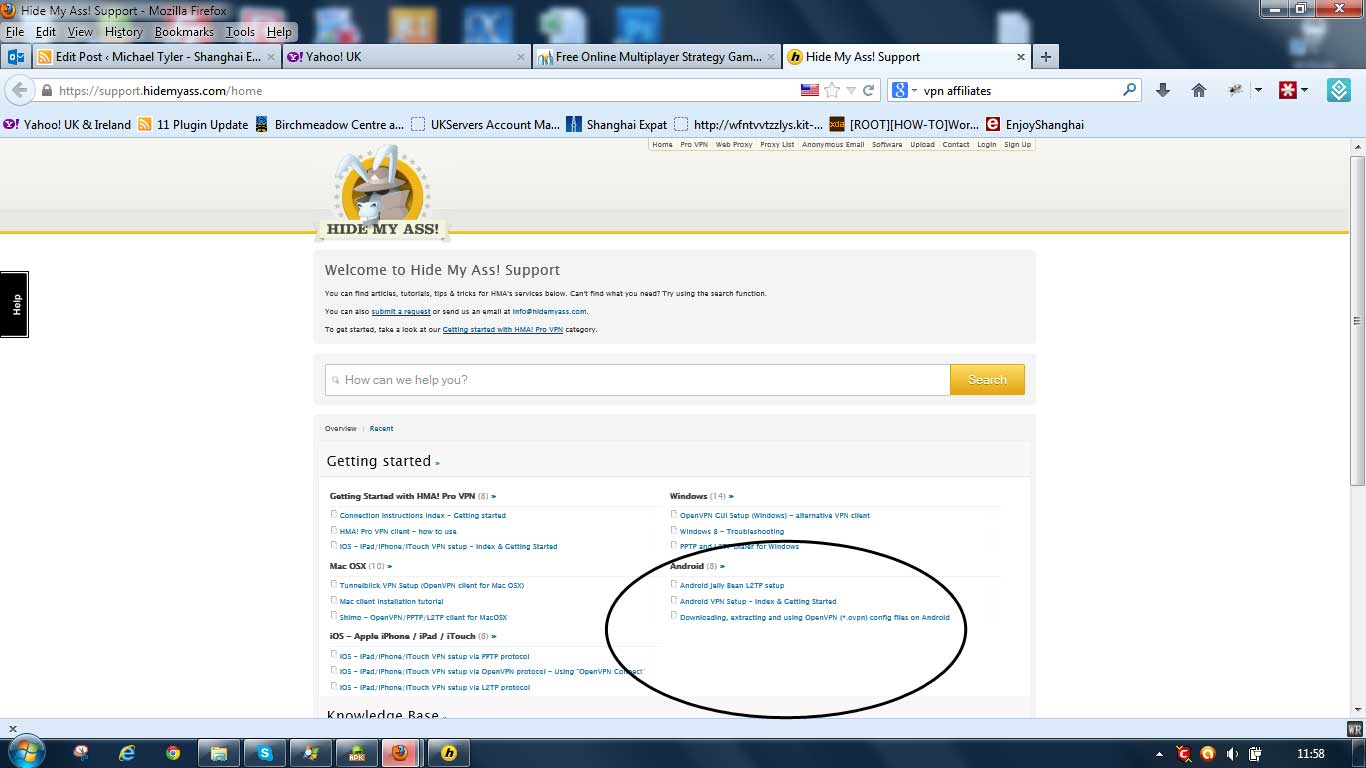
Log on to your VPN service. From your VPN go to the ‘Help’ section or knowledge base. From here you should find information about allowing their service to be accessed from your mobile device.
This is the Knowledge base from my VPN
My VPN’s knowledge base looks something like this. It has all the information you need.
The process isn’t a difficult one. The hosts guide will guide you through it.
Fire up Market Enabler. Select one of the carriers (in the U.S.) by pressing and holding. Select ‘fake this connection now’.
Fire up your VPN Proxy you just set up in step 2. from your mobile device. In mine, it’s in the other settings section.
Access Google Play Store in China and Worldwide
If all goes well, it will tell you your device is connected. You will now be surfing from the U.S. from a U.S. carrier for all intents and purposes. (Check this with http://www.iplocation.net/).
Fire up Google Play Store. This will now be running as if you’re a resident of the United States even if, like me, you’re accessing Google Play Store from a mobile in China.
Disclaimer: If you follow this guide exactly in facsimile, you won’t encounter problems. I take no responsibility for your actions other than those following the method above.
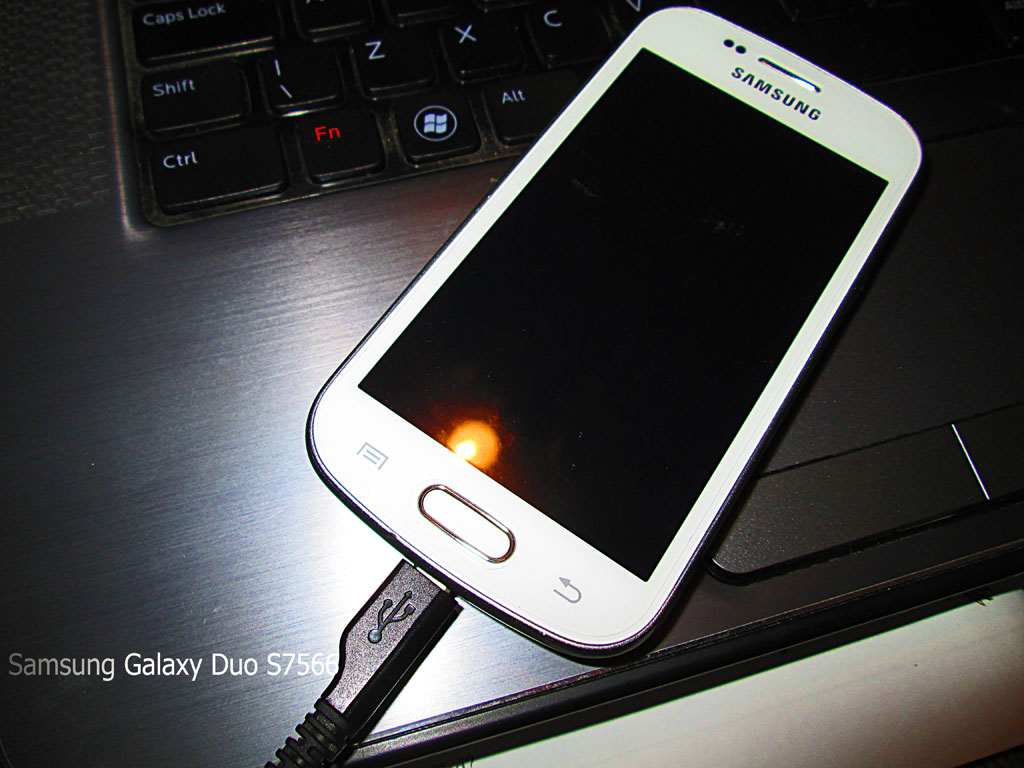
My phone is getting slower, and I want to use the WIFI teather without operator charges! The best way to do this is to ROOT my GT-S7566, get into the manufacturer installed bloat, and cut it out, like the cancer it is.
Rooting a Samsung Galaxy Duos s-7566
This will allow me access to ALL the installed files, right down to the core C:/ drive, (as it were). It’s called Superuser rights. It’ll allow me to change anything on my phone. Install a new operating system, (if I want).
I’m not much of a techie. But I had a motorbike. I fact I had a few. I don’t see this mobile phone as any different.
This guide will guide those of you who have a methodical mindset and the will, through the process of rooting a Samsung Galaxy Duos S-7566.
Samsung Galaxy S Duos Rooting Guide
Without wasting your precious time, let’s quickly jump to the rooting tutorial:
Download the Samsung Galaxy S Duos Rooting Kit.zip from Mediafire or D-h.st.
This file contains almost everything you will need to get through the process and is approximately 12 MB in size. Won’t take too long to download, right? Note: Mediafire link is down due to unknown issues Mediafire is having. Use the Devhost link instead.
Install the drivers for your Galaxy S duos using KIES.
Power off your device as you have to go to downloading mode.
After your phone has switched off, press Volume Down + Home + Power button simultaneously until the Samsung logo appears on your device.
Release. A warning will appear on your device. Read it if you wish. Press Volume Up to continue to the downloading mode. You should see a screen with “Downloading” written on it along with some other stuff.
Connect your phone to the PC using USB cable. It should detect your device as you have installed the drivers in step 2.
Extract the rooting kit, (using winzip or other program), you downloaded in step 1 and open odin from the extracted ‘odin’ folder.
Copy CWM-superuser-3.1.3.zip/CWM-SuperSU-v0.96.zip to your phone’s external or internal sdcard. The file is present in the rooting kit.
ODIN should detect your device on any of the COM ports. Y
You will be seeing various boxes: some checked and unchecked. Tick or untick them so that:
F. Reset Time is ticked.
Auto Reboot is ticked.
PDA is ticked.
All other boxes should be unticked.
Click on PDA under the Files (Download) section in ODIN and browse to recovery.tar file. You will find this file in the extracted rooting kit.
Remove the back cover from your device before you follow the next step. This is required as you will need to remove the battery with a perfect timing, after you complete the next step.
Click on start. Let ODIN complete the flashing process. Don’t interrupt the process. A green bar will tell you the progress of the operation. When the green box in Odin window shows “Pass”, your phone will start a reboot.
It’s time for you to jump into action. When the phone vibrates, remove the battery.
Disconnect your phone from the PC.
Power off your device and boot into ClockWorkMod recovery by pressing Volume Up + Volume Down + Home + Power buttons simultaneously until the Samsung logo appears.
You’ll boot into the ClockWorkMod recovery mode. Your normal touch input won’t work here. Press Volume up to scroll up and Volume down to scroll down. Home button is used to select while power button will take you a step back.
Scroll down to Backup & Restore and select backup. Let the backup process complete. Make sure you have atleast 2 GB storage free in the external sdcard before performing the backup.Note: If you want to unroot later on, boot into CWM and restore this backup. Then flash Stock recovery (present in stock recovery) using Odin, the same way you flashed recovery.tar in step 10.
Go to Install Zip from sdcard option and select “Choose zip from external sdcard” or “Choose zip from internal sdcard” depending on the choice you made in step 12. Finally select the cwm-superuser-3.1.3.zip/CWM-SuperSU-v0.96.zip and browse through the long list of “No” to select the only “Yes” option to install superuser to your device.
It will run through the installation process, and the phone will take around 2 minutes to boot.
After that your phone, Duos Trend model, in my case s-7566, should be rooted WITHOUT PROBLEMS!
Thanks to droidiser, who provided the original article.
We use cookies on our website to give you the most relevant experience by remembering your preferences and repeat visits. By clicking “Accept All”, you consent to the use of ALL the cookies. However, you may visit "Cookie Settings" to provide a controlled consent.
This website uses cookies to improve your experience while you navigate through the website. Out of these, the cookies that are categorized as necessary are stored on your browser as they are essential for the working of basic functionalities of the website. We also use third-party cookies that help us analyze and understand how you use this website. These cookies will be stored in your browser only with your consent. You also have the option to opt-out of these cookies. But opting out of some of these cookies may affect your browsing experience.
Necessary cookies are absolutely essential for the website to function properly. These cookies ensure basic functionalities and security features of the website, anonymously.
Cookie
Duration
Description
cookielawinfo-checkbox-analytics
11 months
This cookie is set by GDPR Cookie Consent plugin. The cookie is used to store the user consent for the cookies in the category "Analytics".
cookielawinfo-checkbox-functional
11 months
The cookie is set by GDPR cookie consent to record the user consent for the cookies in the category "Functional".
cookielawinfo-checkbox-necessary
11 months
This cookie is set by GDPR Cookie Consent plugin. The cookies is used to store the user consent for the cookies in the category "Necessary".
cookielawinfo-checkbox-others
11 months
This cookie is set by GDPR Cookie Consent plugin. The cookie is used to store the user consent for the cookies in the category "Other.
cookielawinfo-checkbox-performance
11 months
This cookie is set by GDPR Cookie Consent plugin. The cookie is used to store the user consent for the cookies in the category "Performance".
viewed_cookie_policy
11 months
The cookie is set by the GDPR Cookie Consent plugin and is used to store whether or not user has consented to the use of cookies. It does not store any personal data.
Functional cookies help to perform certain functionalities like sharing the content of the website on social media platforms, collect feedbacks, and other third-party features.
Performance cookies are used to understand and analyze the key performance indexes of the website which helps in delivering a better user experience for the visitors.
Analytical cookies are used to understand how visitors interact with the website. These cookies help provide information on metrics the number of visitors, bounce rate, traffic source, etc.
Advertisement cookies are used to provide visitors with relevant ads and marketing campaigns. These cookies track visitors across websites and collect information to provide customized ads.